

Carvr - Email Slicer for Figma
Developer
- Carvr AI
Category
- Workflow Automation
Pricing
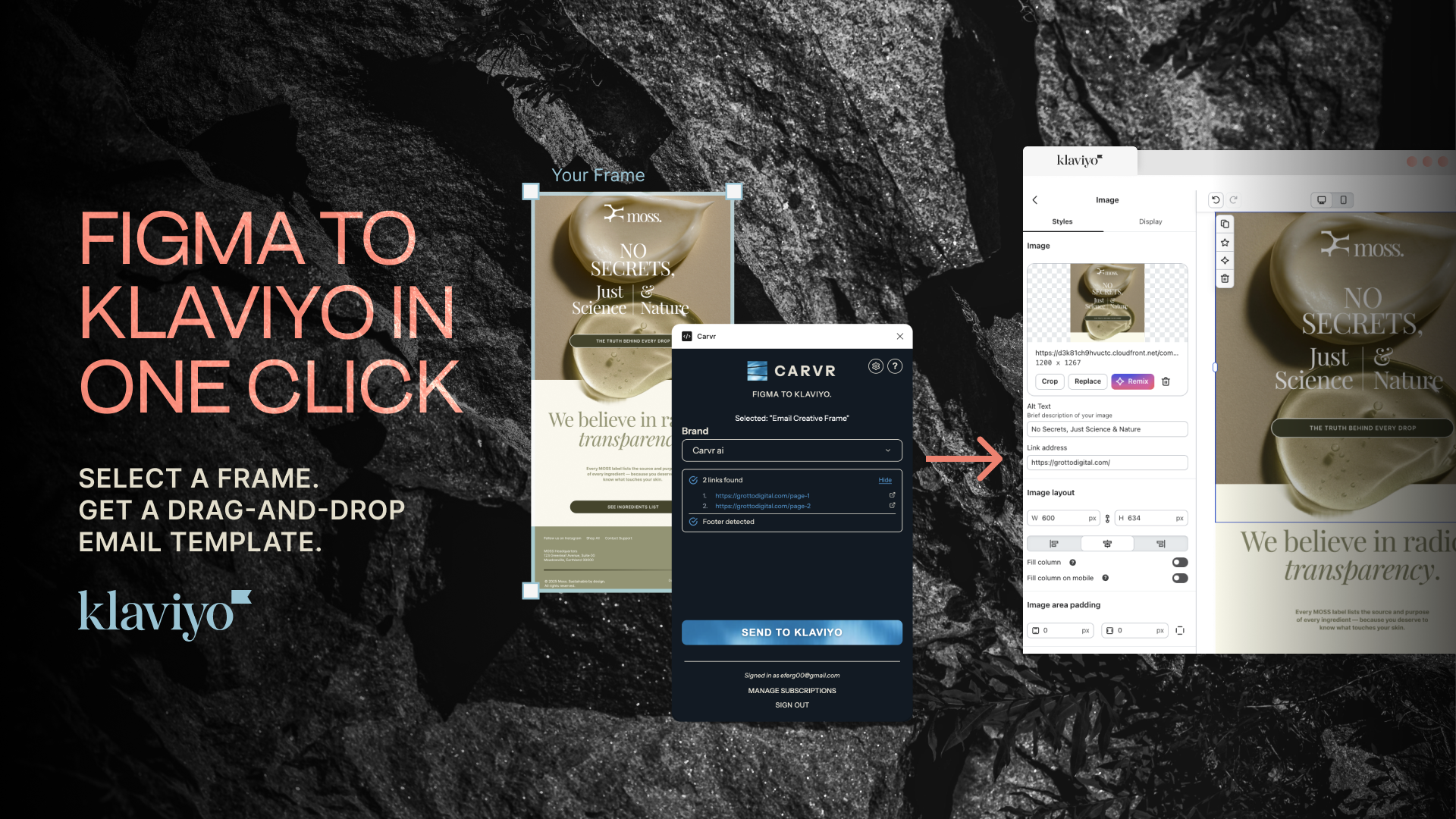
OverviewCarvr turns Figma email designs into native Klaviyo drag-and-drop templates — no HTML, no rebuilding. Smart slicing carves your design into pixel-perfect responsive sections, AI writes alt text, links are mapped, and images compressed.
Design in Figma, click once, and send from Klaviyo.
Features
One-click Figma to Klaviyo templatesSend any Figma frame to Klaviyo as a native drag-and-drop template. No HTML, no rebuilding in the editor — what you designed is what lands in your campaign, pixel for pixel.
AI-powered smart slicingCarvr's AI reads your design and carves it into clean, responsive horizontal sections — respecting backgrounds, spacing, and content blocks — so every email renders crisply on desktop and mobile.
Automatic alt text, links, and compressionAI writes descriptive alt text for every section, your Figma links map to the right blocks automatically, and images are compressed for fast load times and deliverability.
Native drag-and-drop editing in KlaviyoTemplates arrive as standard Klaviyo drag-and-drop templates, not frozen HTML. Marketers can still tweak, reorder, or extend sections in the Klaviyo editor after import.
Work without leaving FigmaThe Carvr Figma plugin sends designs straight from your canvas: select a frame, pick a brand, click Send to Klaviyo. Queue multiple frames and they arrive as ready-to-send templates.
Unlimited brands, one workspaceManage every client from a single Carvr account. Each brand connects to its own Klaviyo account — built for agencies running multiple ecommerce clients.

User GuideGet started with Carvr in minutesFrom signup to your first template: connect your Klaviyo account, upload a design or install the Figma plugin, and send your first pixel-perfect email template to Klaviyo.

User GuideFigma Plugin GuideInstall the Carvr plugin, select a frame, choose your brand, and click Send to Klaviyo — your design lands as a drag-and-drop template.